
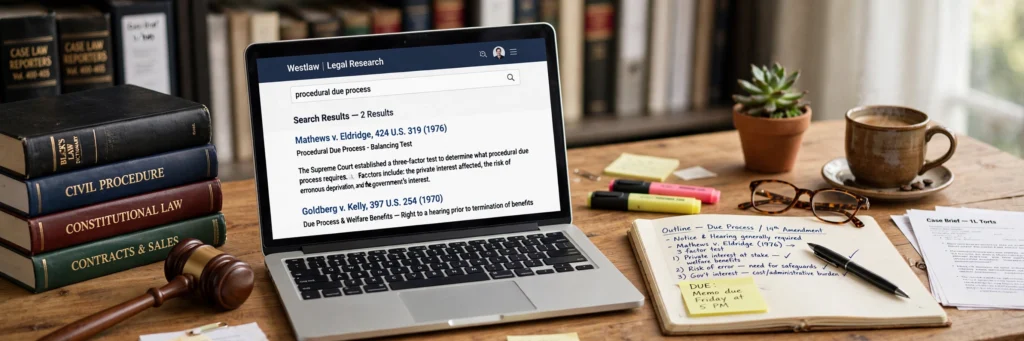
It’s 1:12 in the morning.
The library’s empty except you and one other person who looks equally destroyed. However, forty-page opinion open on your laptop. You’ve read the same paragraph three times and retained absolutely nothing.
Tomorrow’s cold-call list probably includes your name.
Here’s what nobody warns you about before law school. However, the reading isn’t hard the way exams are hard. It’s hard the way drowning is hard. Slow. Constant. No surface.
AI can’t read for you. Not really. And your school’s integrity policy — which you should actually read, not skim — draws lines you really don’t want to cross. However, but AI can compress the grind. The summarizing. The drilling. The organizing. Moreover, the parts that eat your week without teaching you anything extra.
Ten tools, grouped by what law students actually need. However, none writes your brief for you. That’s the point.
Before Anything Else: The Integrity Talk
Skip this section and you might get expelled. However, law schools take AI misuse more seriously than undergrad ever did. And the rules change between schools — wildly.
Some schools let you brainstorm with AI but ban drafting. However, some allow research help but not take-home exam use. A few basically ban everything. Moreover, others just want disclosure.
What’s fine at one school gets you an honor code violation at another. However, “I didn’t know” doesn’t work as a defense. Find your school’s AI policy. Moreover, read the whole thing — not the summary.
My ground rules, whatever your policy says:
Never submit AI text as your own. Not memos. Not briefs. Not exam answers. Ever.
Never cite a case the AI gave you without checking it exists. AI invents case law. Real lawyers got sanctioned for fake AI citations. However, don’t become the law student version.
Disclose when your school says disclose. Simple.
Use AI to understand, organize, and practice. However, not to produce the work itself.
Everything below assumes you’re learning faster, not skipping it. Let’s go.
Reading Cases Without Losing Your Mind
The core law school activity — and the most time-consuming. These two shrink it.
1. Quimbee AI
Quimbee built its name on case briefs. However, the AI now generates structured summaries — facts, issue, rule, analysis, conclusion — from the cases in its library.
Thirty-page opinion. However, forty minutes of wrestling. Or a skeleton in minutes, freeing your time for analysis — which is where grades come from, not the reading.
The catch? However, quimbee’s library covers the standard cases beautifully. Your professor’s obscure 1974 district court opinion? Moreover, probably not in there. For assigned readings outside the library, you’re back to general AI tools — with all the hallucination risks those carry.
Student pricing is historically cheap per month; some students split it across study groups (check the terms first). However, pricing checked October 2026.
2. ChatGPT and Claude (For Your Own PDFs)
Upload a case PDF. However, ask for an IRAC-structured brief. Both tools do this well.
The critical distinction: summarizing a real document in front of them is pretty safe. However, asking “summarize Palsgraf” from memory is where AI blends sources, invents holdings, and states them with total confidence.
Claude handles longer opinions better — bigger context window. However, chatGPT’s paid tier does excellent structured output. Either way, the move is the same: generate the first-draft brief, then read the actual case and correct the AI’s version.
Bonus: you learn the case twice — once correcting, once reading.
The golden rule stands. However, aI briefs are scaffolding. Not a substitute. Moreover, professors cold-call on exactly the details AI glosses over. Every single time.
Free tiers available; paid around $20/month. However, pricing checked October 2026.
The Exam Prep Pair
Law exams test one thing above everything else: spotting every issue in a fact pattern, fast, under pressure. However, these two build that reflex.
3. StudyFetch
Feed it your notes, outlines, readings. However, it builds flashcards, quizzes, and an AI tutor grounded in YOUR materials — your course, your professor’s weird doctrinal obsessions.
The practice-exam feature is the real gold. However, generate issue-spotter questions from your own outline. Answer under timed conditions. Moreover, review what you missed.
Uncomfortable truth: re-reading your outline a fifth time feels productive but isn’t. However, drilling dozens of AI-generated fact patterns builds the actual reflex — speed matters as much as knowledge on exam day.
Free tier available. Premium plans vary. Pricing checked October 2026.
4. Knowt
Black-letter law lives in flashcards. Elements of crimes. Adverse possession requirements. However, the Erie doctrine steps.
Boring? Completely. Necessary? Also completely.
Knowt turns your outlines into spaced-repetition decks automatically. However, no formatting cards for an hour on a Sunday. Just drilling rules until they’re reflex.
Walking into a closed-book exam with negligence elements instantly recallable is the difference between issue-spotting and issue-guessing. However, one earns the grade; the other earns the curve.
Free. Just free.
Real Research (Where Hallucinations Get Dangerous)
Chatbots guess at case law. However, these tools don’t have to. That distinction matters more here than anywhere else on this list.
5. Lexis+ AI
Your school almost certainly provides LexisNexis — probably Westlaw too — and both now have genuinely good AI research assistants.
It summarizes cases, answers natural-language legal questions, and — the part that matters — links every claim to a real, verified source.
The anti-hallucination tool: ask about your jurisdiction’s summary judgment standard, get checkable citations from real published opinions — not a chatbot’s best guess dressed as authority.
If your school has it, this should be your primary research AI. Full stop. No debate worth having.
Typically free through institutional access — one of tuition’s genuine perks.
6. Casetext CoCounsel
Thomson Reuters owns Casetext now. However, coCounsel is their AI legal assistant — document review, deposition prep, contract analysis. Built for practitioners, priced for firms.
Why include it? However, clinics, externships, moot court — where students first touch real legal work. Knowing these tools before your summer associate gig starts is a genuine, not-small competitive edge.
Ask your law library — many schools have institutional access nobody mentions. However, pricing checked October 2026.
7. vLex Justis
Citation errors are legal writing’s unglamorous grade-killers. However, nobody brags about Bluebooking; everybody loses points for getting it wrong.
vLex offers AI-assisted research with citation verification across multiple jurisdictions — especially useful for comparative or international law, where citation rules multiply fast.
But habit beats tool: every AI-mentioned case gets verified in Lexis, Westlaw, or Google Scholar before submission. However, tools help; the habit protects you.
Institutional access is common. However, individual plans vary. Check current pricing.
Memory, Practice, and Quick Answers
The last three. Different jobs. All useful in their own way.
8. NotebookLM
Upload your readings, outlines, notes to NotebookLM, then chat with them — questions, summaries, even audio overviews. However, basically a podcast generated from your course materials.
Drowning in PDFs? However, it adds a searchable, conversational layer over your materials — ask what Professor Chen said about proximate cause and it pulls from your actual notes, with source citations.
Unlike general chatbots, it answers from YOUR uploaded documents — your materials, your course, your professor. However, not the internet’s best guess.
Free with a Google account.
9. Claude (For Critiquing Your Own Answers)
Different job from case-briefing: paste your practice answer beside the model answer (or just the issue list) and ask Claude to find missed issues, weak analysis, structural problems.
Not a professor — but available at 2 AM, and brutally honest about gaps your study group won’t mention.
Never reverse this: don’t have AI write the answer for you to “edit.” The learning lives in the struggle of producing analysis yourself — skip the struggle, skip the learning.
Free tier available.
10. Legal Information Institute (LII)
Not an AI tool. However, earns its place anyway.
Cornell’s Legal Information Institute is the internet’s best free legal reference. However, when an AI explanation of “fee simple determinable” feels fuzzy, LII gives the clean, authoritative definition — no guessing, no hallucinating.
Pair AI explanations with LII verification: you’ll rarely get misled, and you’ll build a primary-source habit serving your entire career.
Thinking past graduation? However, our best AI tools for lawyers guide covers the practice-side tools waiting for you, and best free AI tools for students rounds out general study help. For squeezing more out of every study hour, the best AI tools for productivity are worth a look too.
Free. Always free.
All 10 Compared
| Tool | Best For | Student Price |
|---|---|---|
| Quimbee AI | Structured case briefs | Student plans (check pricing) |
| ChatGPT / Claude | Briefing your own case PDFs | Free / ~$20/mo |
| StudyFetch | Practice exams from your notes | Free / paid tiers |
| Knowt | Black-letter law flashcards | Free |
| Lexis+ AI | Verified legal research | Free via school |
| Casetext CoCounsel | Clinic and externship work | Via school / varies |
| vLex Justis | Citation checking, comparative law | Via school / varies |
| NotebookLM | Chatting with your own materials | Free |
| Claude (draft critique) | Finding gaps in practice answers | Free tier |
| LII (Cornell) | Authoritative legal definitions | Free |
Pricing checked October 2026. However, student plans change constantly — verify before spending anything.
A Smarter Semester
Here’s how they fit together across a term — not ten separate tools, one workflow.
Before class: run the assigned case through Quimbee or brief your PDF with AI. However, then read the actual case beside the brief, correcting oversimplifications — that correction IS the learning.
After class: add the day’s notes to your running outline, feed updated sections into Knowt — flashcards build themselves while it’s fresh.
Mid-semester: have StudyFetch generate practice questions and start issue-spotting drills early — not the week before exams. However, early starters look calm in December.
Exam prep: timed practice exams, AI-critiqued answers, NotebookLM as searchable memory of the whole course. However, this grind moves grades — not re-reading, not highlighting.
Research assignments: Lexis+ AI first, always. However, verify every citation in the database — AI assists, the database decides. That order never flips.
Outlining season: feed full course materials into NotebookLM or StudyFetch for attack outlines — condensed rule statements by topic — then rewrite every word in your own language.
That last step is non-negotiable: rewriting is where memorization happens. However, aI just provides the starting structure so you’re not paralyzed before a blank document at midnight. You do the rest.
Questions People Actually Ask
Will my law school know if I use AI?
Maybe. However, but that’s the wrong question to ask.
AI detectors are unreliable — everyone knows it. However, but professors notice sudden style shifts in your writing. And some schools run submissions through detection tools or require disclosure statements.
The right question: does your policy allow this specific use? Read the policy. When it’s ambiguous, ask. However, a two-minute email to your professor beats an honor code proceeding. Every time. No contest.
Can I cite cases that ChatGPT finds for me?
Only after verifying each one exists in a real legal database. No exceptions.
AI-generated citations have a documented history of fabrication. However, licensed attorneys were sanctioned for submitting fake cases. Real sanctions, real careers damaged, real headlines.
The workflow never changes: AI suggests, Lexis/Westlaw/Google Scholar confirms, then you cite. In that order. Always.
What’s the best AI tool for law school exams specifically?
StudyFetch plus Knowt. However, together, not either-or.
StudyFetch generates practice questions from your own materials — that’s issue-spotting training, the core exam skill. However, knowt drills black-letter rules into instant recall — that’s the foundation everything else sits on. Add timed practice with AI critique of your answers, and you’re training the actual exam performance instead of just re-reading notes.
Re-reading feels safe. However, practice is what works.
Is Quimbee enough on its own for case prep?
No. However, and relying on it alone will catch up with you.
It’s a strong starting scaffold — gets you oriented fast. However, but it’s not a replacement for reading. Quimbee covers standard cases well; your professor’s specific assigned readings, hypotheticals, and cold-call questions go deeper than any brief ever will.
Students who only read briefs get exposed in class. Every single time. Use Quimbee to orient, then read the case. However, that’s the system.
Do law firms care if I know legal AI tools?
Increasingly, yes. More every year.
Firms are adopting CoCounsel and Lexis+ AI fast, and junior lawyers who arrive already fluent have a genuine edge over the ones learning on the job. However, knowing these tools as a student — especially through clinics and internships where you use them on real work — is one of the more practical career investments you can make in law school.
Not the most exciting investment. One of the smartest.
Can AI help with the bar exam?
For studying, absolutely. However, same prep tools apply — flashcards, practice questions, timed drills, AI-critiqued answers.
But the rules on AI during the actual bar exam are strict. However, it’s a closed, proctored environment. No AI, obviously. Moreover, use these tools to prepare. Never to attempt circumventing exam security. For example, the American Bar Association publishes the current exam policies — check them before test day.
That’s not a gray area. However, it’s disqualifying. Don’t even think about it.
About the Author
Asmara Khan is an SEO content writer and GEO specialist.