Quick Summary
To become a freelance illustrator, sharpen your drawing fundamentals, learn a digital tool like Procreate or Photoshop, and build a focused portfolio of 8–12 pieces. Pick a niche, show up on Behance or ArtStation, then pitch art directors directly. Steady outreach, not waiting around, is what separates working freelancers from hobbyists.
Highlight
- Nail the core skills: perspective, colour theory, anatomy, light and shadow.
- Learn the tools clients expect: Procreate, Photoshop, Illustrator or Clip Studio Paint.
- Build a tight portfolio of 8–12 strong pieces with one clear style and niche.
- Get found on Behance, ArtStation, Instagram and LinkedIn.
- Send cold emails to art directors, and work your personal network too.
- Charge realistic rates. Run things like a small business from day one.
- Pick a niche early. Children’s books, editorial and branding tend to pay off faster.
Featured Snippet Table
| Element | What You Need | Why It Matters |
|---|---|---|
| Core Skills | Perspective, colour, anatomy, light | Clients hire reliable fundamentals |
| Digital Tools | Procreate, Photoshop, tablet | Most paid work is digital |
| Portfolio | 8–12 best pieces on your own site | Art directors check it first |
| Client Sources | Cold outreach + Behance + Instagram | Passive discovery is rarely enough |
| Business Basics | Rates, contracts, invoices | Turns talent into steady income |
You can already draw. That’s usually the easy part. What trips people up is the jump from “I make pictures” to “clients pay me every month.”
So here’s the plain version. A freelance illustrator is a self-employed artist who makes custom images for clients (publishers, magazines, brands, game studios, agencies) project by project. You keep the income, pick your hours and own your style. The catch is that finding work, setting prices, chasing contracts and doing taxes all land on you.
This guide is for beginner and intermediate artists in the UK and USA. No fluff. And no “just post on Instagram and the clients will roll in,” because they won’t.
Build the Drawing Skills Clients Actually Hire
Talent gets you started. Daily practice keeps you hired. Four foundations do most of the heavy lifting:
- Perspective (one-point and two-point), so objects sit properly in space.
- Colour theory and limited palettes, so your work looks deliberate.
- Light and shadow, so forms read clearly even as a tiny thumbnail.
- Anatomy and gesture, so figures feel alive rather than stiff.
Give it 30–60 minutes a day. Plenty of working pros still warm up with sketches before client work, so don’t treat this as beginner homework. Traditional media is fine for learning. Just know that most commercial jobs want digital files.
Once the basics feel steady, choose a niche. Children’s books, editorial, branding, packaging and game concept art each look different, and each has its own pool of clients. A focused style sticks in people’s heads. A “bit of everything” portfolio? It gets scrolled past.
Choose the Right Tools Without Overspending
Relax. You don’t need every app on day one.
Software most freelancers use:
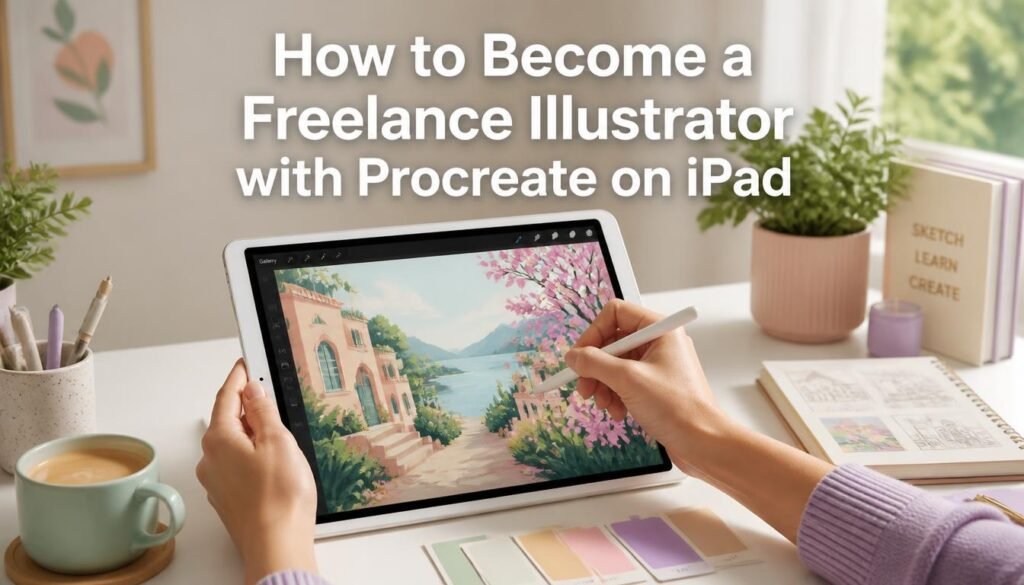
- Procreate (iPad): quick, cheap and great for illustration.
- Adobe Photoshop: the industry standard for digital painting and file prep.
- Adobe Illustrator: your go-to when a client wants clean vector work.
- Clip Studio Paint: brilliant for comics, manga-style art and detailed line work.
Hardware that works:
- An iPad Pro or Air with an Apple Pencil suits plenty of beginners.
- A Wacom or Huion tablet or pen display hooked up to a laptop suits anyone who likes a proper desk setup.
Learn to scan traditional work cleanly, cut out backgrounds and export what clients ask for, usually PNG, TIFF or layered PSD. Sloppy files are an underrated way to lose a repeat client. Beginners rarely see it coming.
When proposals start going out, something simple to keep them organised helps a lot. Many freelancers use proposal software to lay out rates and terms clearly, and this comparison of the best proposal software for freelancers is a decent place to start.
Create a Portfolio That Wins Work
Your portfolio is the most valuable marketing asset you have. Pick 8–12 of your strongest recent pieces. Quality wins over quantity, every time.
Show range, but keep one consistent style. Mix up the subjects, add a few mock client projects (a book cover, a magazine spread, a brand character) and include process shots if they show how you think. Put it all on a clean personal site (Squarespace and Wix both do the job), then mirror your best pieces on Behance and ArtStation.
Add a few lines to each project: the brief, your role, any constraints. Art directors skim fast. A little context helps them picture working with you.
“Your portfolio is your résumé, your salesperson and your proof all at once.”
Worth remembering next time you’re tempted to upload that old sketchbook page.
Where to Find Clients (The Part Most Guides Skip)
Hoping one Instagram post goes viral is slow. Reaching out yourself is faster.
Cold outreach
Find the art directors at publishers, magazines and design agencies. Then email them: under 100 words, three or four relevant samples, and a link to your full portfolio. Follow up once, 7–10 days later. That’s it.
Platforms
Clients do search Behance and ArtStation for particular styles, so keep both fresh. Instagram is great for process videos and finished work. LinkedIn, though, is where you’ll actually connect with art directors and creative managers.
Warm networking
Tell everyone you’re available: friends, ex-colleagues, local creative groups. A surprising number of first paid jobs come from people who already know you, so don’t skip this one.
Freelance marketplaces
Sites like Upwork can give you early experience and reviews. Rates run lower, though, and the competition is fiercer. Treat them as a stepping stone while you build direct clients.
Here’s how the channels stack up:
| Channel | Best For | Speed to First Job | Typical Trade-Off |
|---|---|---|---|
| Cold email | Publishers, magazines, agencies | Medium | Needs research and follow-up |
| Behance / ArtStation | Style-based discovery | Slow to medium | Needs regular updates |
| Instagram / LinkedIn | Visibility and art director contacts | Slow | Rarely enough alone |
| Warm networking | First paid projects | Fast | Depends on your existing circle |
| Freelance marketplaces | Early reviews and experience | Fast | Lower rates, more competition |
Once work does start rolling in, invoicing matters. Clear, on-time invoices protect your cash flow and make you look like you’ve done this before. This guide to the best invoicing software for freelancers compares the current options.
Pricing, Contracts and Business Basics
Nearly every new freelancer undercharges. It’s practically a rite of passage. Look up typical rates for your niche and location, then price for the value and usage rights, not just your hours. Editorial usually pays less than commercial branding. And usage (web only or full commercial rights) should change your fee.
Get a simple contract in place covering scope, revisions, payment schedule and copyright. Keep records of every project. Track your time and ask clients for feedback early, because both will sharpen your process and your pricing. A grasp of basic data collection methods also shows you which marketing efforts really bring in leads.
Fun fact: lots of established illustrators still make personal work every week. It keeps their style fresh. Often, it’s the very piece that lands the next big job.
A Realistic First-Year Roadmap
| Month Range | Focus | Expected Outcome |
|---|---|---|
| 1–2 | Daily skill practice + tool mastery | Solid fundamentals and a digital workflow |
| 3–4 | Build and launch your portfolio | Live website + Behance/ArtStation profiles |
| 5–6 | Start outreach + social presence | First conversations and small jobs |
| 7–9 | Refine your niche and raise rates | Repeat clients and better projects |
| 10–12 | Build systems for proposals and invoices | A more predictable income stream |
Don’t expect a straight line. Some months you’ll fire off dozens of emails and hear nothing. Then a single well-timed sample brings in two projects. Consistency compounds.
Common Mistakes That Slow People Down
- Showing every piece they’ve ever made instead of a tight, current selection.
- Skipping the business side and treating freelancing like a hobby.
- Chasing every trend instead of building a voice people recognise.
- Waiting for a “perfect” portfolio before contacting anyone.
Start imperfect. Improve in public.
Infographic Concept: The Freelance Illustrator Starter Map
Design a tall, vertical infographic. At the top, three columns: Skills (drawing fundamentals icons), Tools (tablet and software logos) and Clients (email, Behance and Instagram icons). In the middle, a simple six-step timeline running from “Daily Practice” down to “First Paid Project.” At the bottom, three common niches with example deliverables: a children’s book page, a magazine spot and a brand character. Keep the line art clean and the colours limited so it still reads when someone shares it on social.
Want help turning content like this into articles that rank? You can hire an AI SEO content writer who gets both search intent and human readability.
Your Next Step
Learning how to become a freelance illustrator has little to do with waiting for inspiration. It’s about building dependable systems around your craft. The artists who last treat their practice, portfolio and outreach like a business from the start.
So pick one small thing and do it today. Draw for an hour, update your portfolio, or write three careful emails. Then do it again tomorrow.
FAQ
How long does it take to become a freelance illustrator?
Most people who practise consistently and actively look for clients land their first paid work within 3–6 months. A stable flow of projects usually takes 12–18 months. Your starting skill level, your niche and how consistently you market yourself set the pace.
Do I need a degree to become a freelance illustrator?
No. Clients care far more about your portfolio than your qualifications. A degree can help with networking and technique, but plenty of successful freelancers are self-taught or came from related design backgrounds.
How much do freelance illustrators charge?
It depends on experience, niche and location. Beginners often start at $25–50 per hour, or project fees of a few hundred dollars. Mid-level illustrators commonly charge $50–100+ per hour, or higher project rates that include usage rights. Check current market rates for your kind of work.
What is the best software for freelance illustration?
Procreate is popular on iPad for its speed and price. Adobe Photoshop is still the industry standard for complex digital painting and file delivery, and Adobe Illustrator is essential for vector work. Many freelancers use more than one, depending on the job.
How do I find my first illustration clients?
Start with people you know, then move on to cold emails to art directors and publishers. Publish your work on Behance and ArtStation, post regularly on Instagram, and take a few freelance-platform projects to build reviews and confidence.
Can I become a freelance illustrator with no experience?
Yes, but you’ll need strong speculative pieces that look like real client work. Build a portfolio that proves you can solve visual problems, then use it to start conversations. Early projects may pay less while you collect testimonials.
Author Bio
Sarah Mitchell is a freelance illustrator and creative business coach with over twelve years of experience working with UK and US publishers, brands and agencies. She has helped dozens of emerging artists land their first paid commissions and build sustainable freelance practices. Her work has appeared in children’s books, editorial features and commercial campaigns.