URL slug: /ai-budgeting-apps/
Quick Summary
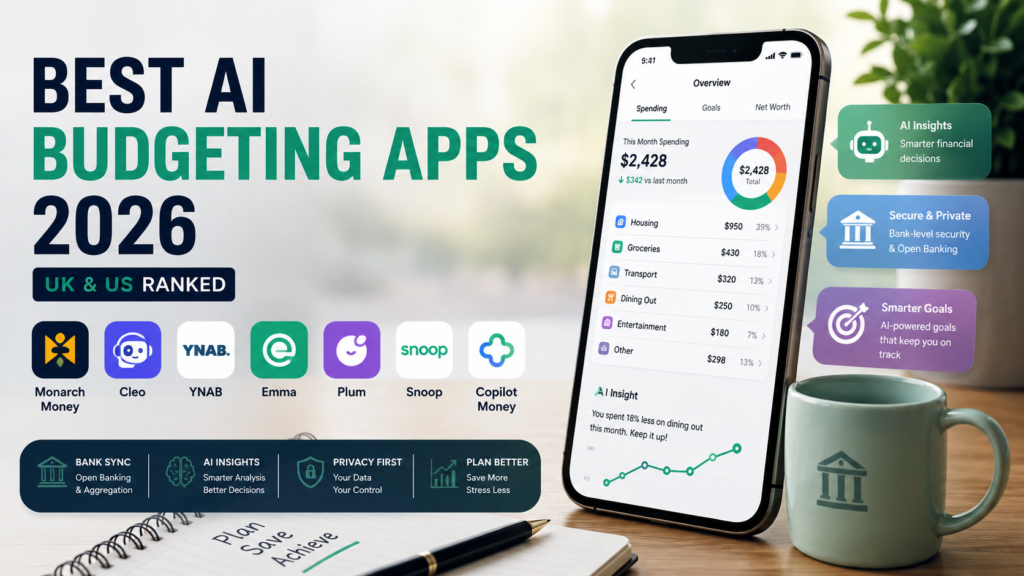
The best AI budgeting app depends on your location and money habits. Monarch Money is a strong all-round choice for US households, Copilot suits Apple users, and YNAB is better for people who want structured budgeting. In the UK, Emma, Plum and Snoop offer useful Open Banking features, while Cleo is ideal for chat-based money guidance.
Highlight
- Choose Monarch Money for a broad US household dashboard.
- Choose Copilot Money if you prefer a polished Apple-focused experience.
- Choose YNAB if you want every pound or dollar assigned a clear purpose.
- Choose Emma for a straightforward UK spending overview.
- Choose Plum if automated saving is your main goal.
- Choose Snoop for bill awareness and recurring-payment insights.
- Use a spreadsheet and cleaned CSV file if you do not want to link your bank.
Quick comparison
| App | Best for | Main AI or automation style | Region | Indicative pricing |
|---|---|---|---|---|
| Monarch Money | US households and couples | Predictive dashboard and categorisation | US | Around $99.99 per year |
| Copilot Money | Apple users | Automated analysis and visual insights | US | Around $13 per month |
| YNAB | Structured budgeting | Zero-based planning and rules | UK and US | Around $109 per year |
| Emma | UK spending overview | Open Banking aggregation and categorisation | UK | Free and paid tiers |
| Plum | Automated saving | Saving rules and cash-flow tools | UK | Free and paid tiers |
| Snoop | Bills and spending alerts | Open Banking analysis | UK | Free and paid tiers |
| Cleo | Conversational money coaching | Chatbot-first guidance | Mainly US | Free and paid tiers |
Prices and features can change. Always verify the current offer on the provider’s website before publishing or subscribing.
What are AI budgeting apps?
An AI budgeting app uses automation, machine learning or natural-language tools to help organise your financial information. It can categorise transactions, recognise subscriptions, estimate upcoming spending and answer questions about your money.
That sounds impressive, but the practical value is simpler: a good app should help you notice a problem earlier and decide what to do next.
For example, it might show that your takeaways increased for three consecutive months, identify a forgotten subscription or warn that several bills are due before payday. The app does not make the final decision for you. It gives you a clearer picture.
How this comparison was researched
This comparison focuses on the details people notice after downloading a budgeting app, not just the features listed in an advert.
The review framework considered:
- Account connection and refresh reliability.
- Transaction categorisation.
- Merchant-name cleanup.
- Subscription and recurring-bill detection.
- Cash-flow forecasting.
- Shared household features.
- Manual corrections and custom rules.
- Data export and cancellation.
- Free-tier limits and paid-plan value.
- Privacy and permission controls.
A budgeting app can make a good first guess and still get some transactions wrong. Transfers between your own accounts, refunds, cash withdrawals and mixed shopping purchases often need manual correction.
That is why automated categorisation should be treated as assistance, not as a final record. Your bank statement remains the source of truth.
Best AI budgeting apps for US users
Monarch Money: best all-rounder for households
Monarch Money is a strong option for US users who want more than a basic expense tracker. It brings accounts, investments, budgets, recurring bills, goals and net worth into one dashboard.
The app makes most sense for people who want to understand their entire financial position. A couple, for example, can review household spending and savings goals without maintaining completely separate systems.
Its weakness is the same feature that makes it attractive: there is a lot to look at. Someone who wants only a simple weekly spending limit may find the dashboard unnecessarily busy.
Reported 2026 pricing is approximately $14.99 per month or $99.99 per year, although you should confirm the current price directly with Monarch. A recent third-party comparison can provide additional context, but provider pricing should always take priority.
Best choice for: couples, former Mint users and households that want budgeting plus net-worth tracking.
Copilot Money: best for Apple users
Copilot Money puts visual presentation at the centre of the experience. The app automatically organises transactions and helps users see changes in spending without building every report manually.
It suits people who prefer a clean interface and want their finances to feel less like accounting software. The app can highlight trends, recurring payments and unusual changes, which makes a monthly review quicker.
However, the design should not be the only reason to subscribe. Check supported devices, bank coverage and household access before making a decision. Those details matter more than attractive charts.
Reported pricing is around $13 per month or approximately $95 per year, subject to change. This pricing overview gives a useful independent reference.
Best choice for: Apple users who want automated spending analysis with minimal setup.
YNAB: best for active budgeting
YNAB takes a more deliberate approach. Instead of simply telling you where your money went, it asks you to decide where available money should go next.
That method is useful for debt repayment, irregular income and households that regularly spend more than they intended. You assign money to rent, food, transport, savings and other priorities before the month gets away from you.
The learning curve is real. YNAB will not feel effortless on day one, especially if you are used to passive tracking. Yet that involvement is also the reason many disciplined users prefer it.
Best choice for: anyone who wants a budgeting method rather than another account dashboard.
Cleo: best chatbot-first app
Cleo makes money management feel conversational. Instead of navigating through multiple menus, you can ask questions in everyday language, such as “How much did I spend on restaurants this month?”
This format can make budgeting less intimidating, particularly for users who dislike traditional finance software. It is also useful for quick checks when you do not need a detailed report.
The limitation is that a chatbot’s friendly answer is not automatically a correct answer. Check the transactions behind the response, especially when the app discusses affordability, debt or future cash flow.
Best choice for: users who prefer conversational prompts and simple money coaching.
Best AI budgeting apps for UK users
Emma: best for a clear spending overview
Emma is designed to bring multiple financial accounts into one view through Open Banking connections. For many UK users, that is the main attraction: you can see spending, balances and recurring payments without opening several banking apps.
The app is particularly approachable for beginners. It can automatically sort transactions into categories and help reveal where money disappears during a busy month.
However, free and paid plans may offer different account limits and reporting tools. Check the current plan details before assuming a feature is included.
Independent reviews report free and paid Emma tiers, with premium options sometimes reaching approximately £14.99 per month. Treat that figure as indicative and confirm it with Emma directly. A current UK review outlines the type of features commonly associated with its different plans.
Best choice for: beginners who want a central UK spending dashboard.
Plum: best for automated saving
Plum is more focused on saving than traditional budgeting apps. It analyses your money and can help automate transfers towards savings goals.
That is helpful if you earn regularly but struggle to save before the money gets spent. Small, automated transfers can build consistency without requiring you to make a new decision every payday.
Still, automation needs supervision. If an unexpected bill arrives, a transfer that looked affordable yesterday may become inconvenient today. Review your upcoming commitments before increasing saving rules.
Plum’s UK plans include a free Basic option and paid tiers. Plum’s subscription terms note that plan features and eligibility can change, so check the app’s current pricing before relying on older comparisons.
Best choice for: users whose main priority is building savings automatically.
Snoop: best for bills and spending alerts
Snoop uses Open Banking to show accounts and transactions together. Its practical focus is helping users understand bills, recurring payments and everyday spending.
The free version may be enough for someone who wants basic account aggregation and spending categories. Paid features can add more alerts, reports or account-management tools, depending on the current plan.
Snoop works best as an early-warning system. It may point out an expensive bill or forgotten subscription, but you still need to decide whether switching provider or cancelling a service makes sense.
Independent UK reviews describe free and paid Snoop plans, with reported pricing changing across plan periods. This Forbes Advisor review provides a useful current reference.
Best choice for: UK users who want help spotting bills, subscriptions and spending patterns.
UK Open Banking versus US bank aggregation
The regional difference is important.
UK users should check:
- Whether their current bank is supported.
- How direct debits and pending payments appear.
- Whether GBP and foreign-currency purchases are handled clearly.
- Whether the app refreshes automatically.
- Whether account-sharing permissions are easy to revoke.
US users should check:
- Checking and savings account coverage.
- Credit-card and loan connections.
- Investment-account support.
- How transfers between linked accounts are treated.
- Whether joint household access is included.
A connection can work well for one bank and poorly for another. Therefore, do not judge an app only by its homepage. Connect one important account during the trial period and inspect the actual transaction feed.
The Financial Conduct Authority’s Open Banking guidance explains how UK consumers can share account information through authorised services. For US readers, Plaid’s security overview explains its approach to consent and secure account connections.
What AI does well—and where it struggles
Useful AI features
AI and automation can reduce repetitive work in several areas:
- Automatic transaction categorisation.
- Merchant-name cleanup.
- Recurring-payment recognition.
- Spending comparisons between months.
- Cash-flow estimates.
- Natural-language questions.
- Alerts for unusual activity.
- Suggested saving targets.
For instance, an app may notice that your transport spending rose by 22% compared with the previous month. That is useful because it gives you a question to investigate.
Common weaknesses
AI budgeting tools still struggle with:
- Irregular freelance income.
- Cash spending.
- Shared purchases.
- Refunds and chargebacks.
- Transfers between personal accounts.
- Multi-currency transactions.
- One-off large expenses.
- Changes in family circumstances.
A forecast is only as good as the data and assumptions behind it. If your accounts are incomplete, the forecast may look precise while remaining misleading.
Can you budget with ChatGPT?
Yes, but use it carefully. A general AI tool can analyse a cleaned CSV file, group transactions, identify recurring costs and draft a monthly budget.
A safer workflow is:
- Export transactions from your bank.
- Remove account numbers and unnecessary personal details.
- Check the dates, amounts and currency.
- Ask the AI to categorise the transactions.
- Review uncertain categories yourself.
- Compare the totals with your bank statement.
- Turn the results into realistic spending limits.
Never provide passwords, card numbers, security answers or authentication codes. If you prefer maximum privacy, use a spreadsheet and keep the data offline.
What to check before subscribing
Before starting a paid trial, spend ten minutes checking:
- The price after the trial.
- Whether billing is monthly or annual.
- The cancellation process.
- Number of supported accounts.
- Bank-refresh frequency.
- Export options.
- Data retention and deletion.
- Household-sharing rules.
- Whether the app works on your preferred device.
A free tier is not automatically the best value. It may limit account connections, alerts or historical data. On the other hand, a paid plan is not worthwhile if it does not change your behaviour.
One simple test works well: after using the app for a week, ask whether it helped you take a specific action. Did you cancel a forgotten subscription, reduce a category or move money into savings? If not, the app may be giving you information without creating progress.
A practical seven-day test
| Day | What to do | What you are testing |
|---|---|---|
| 1 | Define your main goal | Whether the app matches your real need |
| 2 | Connect one account | Setup and bank compatibility |
| 3 | Review transactions | Categorisation and merchant names |
| 4 | Add recurring bills | Subscription and direct-debit detection |
| 5 | Ask the AI a question | Accuracy and explanation quality |
| 6 | Review privacy and price | Permissions and long-term value |
| 7 | Make a decision | Whether the app improved a real money habit |
Who should use which app?
| Your priority | App to investigate | Why |
|---|---|---|
| Complete US household view | Monarch Money | Combines budgets, investments and net worth |
| Polished Apple experience | Copilot Money | Fast visual review and automated categorisation |
| Structured planning | YNAB | Assigns money to clear jobs |
| UK spending visibility | Emma | Open Banking account aggregation |
| Automated saving | Plum | Saving rules and cash-flow support |
| Bill awareness | Snoop | Spending alerts and recurring-payment insights |
| Conversational guidance | Cleo | Chatbot-style money interaction |
| No bank linking | Spreadsheet plus ChatGPT | Manual control and greater privacy |
People Also Ask
What are the best AI budgeting apps for UK users?
Emma, Plum and Snoop are useful starting points for UK users because they focus on Open Banking account connections, spending analysis and recurring payments. The best option depends on whether you prioritise budgeting, saving or bill awareness. Test your own bank connections before choosing a paid plan.
What are the best AI budgeting apps for US users?
Monarch Money is a strong all-round option for US households, while Copilot suits Apple users who want a polished visual experience. YNAB is better for people who prefer active, zero-based budgeting. Cleo is worth considering if you prefer asking money questions through a chatbot.
Are AI budgeting apps safe?
They can be safe when they use reputable account-connection providers, strong authentication, encryption and clear consent controls. However, no app is risk-free. Review the privacy policy, limit permissions, activate multi-factor authentication and disconnect accounts when you stop using the service.
Can AI budgeting apps work without bank access?
Yes. Some apps accept manual entries, and you can also use a spreadsheet with a cleaned CSV export. This gives you more control over sensitive information, but the data will not update automatically. You must also check every category and total because AI can misunderstand transfers or unusual purchases.
Can ChatGPT make a personal budget?
ChatGPT can create a draft budget from accurate income, expenses, debts and savings goals. It can also analyse a cleaned transaction file. However, it cannot guarantee that a plan is affordable or suitable for your circumstances. Remove sensitive details and verify all calculations before acting on the result.
Which budgeting app is best for couples?
Monarch Money is a strong US choice for shared household visibility. YNAB suits couples who want to assign every pound or dollar deliberately. UK couples should also check whether both partners’ accounts connect properly and whether the chosen plan includes the level of sharing they need.
Are free budgeting apps worth using?
A free app can be worthwhile if it accurately connects your accounts and helps you spot spending problems. Check whether the free plan limits account connections, history, alerts or exports. Choose based on the features you will actually use, not simply because the monthly price is zero.
Infographic concept
Create an infographic titled “Which AI Budgeting App Fits Your Money Style?”
Place four paths across the graphic:
- See everything: Monarch Money.
- Keep it visually simple: Copilot Money.
- Plan every pound or dollar: YNAB.
- Automate UK savings: Plum.
- Track UK bills: Emma or Snoop.
- Ask questions conversationally: Cleo.
- Protect privacy: Spreadsheet plus ChatGPT.
Use a second visual layer showing:
- UK: Open Banking, GBP tracking and direct debits.
- US: bank aggregation, credit cards and household accounts.
Internal resources
If you are also researching ways to earn extra income, read this guide to best passive income apps. UK readers may also find the guide to passive income apps with bank transfer relevant when tracking additional income.
For publishers building a finance or technology website, this guide on hiring an AI SEO content writer explains how to combine content production with search strategy and editorial review.
Final verdict
The best AI budgeting app is the one that fits your banking region and the way you naturally manage money.
Choose Monarch Money if you want a complete US household dashboard. Pick Copilot for a polished Apple experience, YNAB for structured planning, Emma for a straightforward UK overview, Plum for automated saving and Snoop for bill awareness. If you prefer a conversation, try Cleo; if you do not want to link accounts, use a spreadsheet with a carefully cleaned CSV file.
Start with one account and test the app for seven days. The winning tool is not the one with the most AI features. It is the one that helps you notice something important and take action before the problem becomes expensive.
Editorial disclaimer: This article is for general information only. It does not constitute financial, investment, tax or legal advice. Features, pricing, bank support and data policies may change. Verify important information directly with the provider before subscribing or making financial decisions.
Author bio
About Asmara Khan
Asmara Khan is an SEO and GEO content writer specialising in AI software, personal finance technology and practical digital tools for UK and US audiences. She researches how products work in everyday use, with particular attention to AI budgeting apps, Open Banking, bank aggregation, transaction categorisation, privacy and subscription value.
For this article, Asmara used a structured comparison framework covering account connectivity, spending categorisation, recurring-payment detection, cash-flow insights, household features, pricing, data controls and cancellation experience. Her goal is to explain complex finance technology in clear language so readers can make informed comparisons.
Editorial disclaimer: Asmara’s articles are educational and do not provide personalised financial, investment, tax or legal advice. Readers should verify current pricing, features, eligibility and security information directly with each provider.