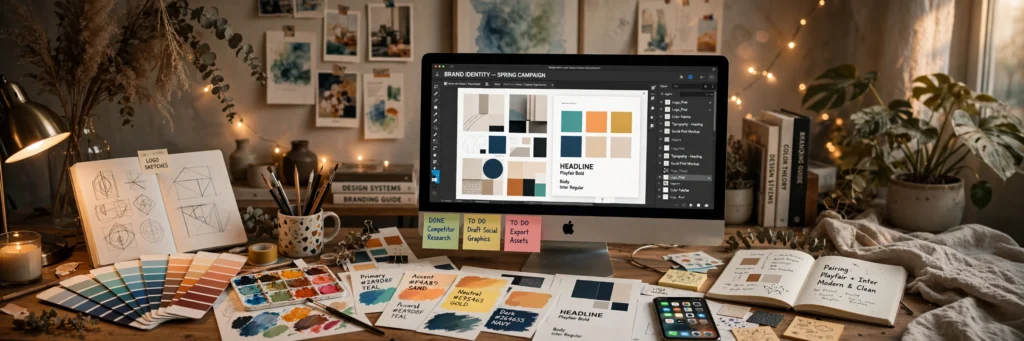
It’s 1:12am. However, you’re nudging a logo two pixels left. Then two pixels right. Then left again.
Every designer knows this moment. However, the tiny tweak spiral. The client who said “just make it pop.” The deadline that’s technically tomorrow but really in six hours.
Now imagine handing the boring 60% of that process to something that works at machine speed. Not the taste part. Not the part where you decide what feels right. The grunt work.
That’s the actual deal with AI in design right now. Not robots drawing instead of you. More like the world’s fastest intern — one that never sleeps, never complains, and occasionally hands you something so good you have to sit down.
Twelve tools below, organised by what you actually DO — not by whatever’s trending on design Twitter. However, if content work’s part of your practice, our best AI tools for content creators pairs nicely.
I checked every price in October 2026. However, these companies change plans constantly. Verify before you pay.
The Concept Machines (Ideation & Directions)
Three different beasts. However, three different jobs.
1. Midjourney
Still the wow-machine. However, nothing spits out campaign key visuals and mood directions as fast.
Here’s how designers actually use it. However, not “type prompt, ship result” — that’s for amateurs. Generate ten directions from the brief, pick two, then composite, art-direct, and finish in Photoshop. Moreover, the output is raw material. You’re the chef.
Style reference is where it gets dangerous (in a good way). However, feed it one approved visual and it keeps an entire campaign consistent. Different assets. Same soul. That used to take days of manual matching.
Paid plans start around $10/month. However, no permanent free tier — trial windows open occasionally, don’t hold your breath. Paid subscribers own what they make, though companies over roughly $1M revenue need the Pro or Mega plan.
Honest warning: zoom in. However, text inside generations has improved a lot, but “improved” isn’t “reliable.” And that plasticky AI sheen is real — fight it with textures, grain, your own colour grading. Your taste is the whole game.
2. Adobe Firefly
The one your legal department would pick. However, firefly’s trained on Adobe Stock and licensed content — clean commercial rights, plus IP indemnification on enterprise plans. For client work where a lawsuit would be awkward, that’s worth real money.
The real killer is Generative Fill inside Photoshop. Not a separate tool. Right there in your workflow. However, extend a too-tight background. Remove the photobomber. Moreover, swap a grey sky for a dramatic one. Jobs that ate forty minutes now take forty seconds.
Bundled with Creative Cloud, plus a free tier with monthly credits. However, if you already pay Adobe (and who doesn’t), you’re already in.
It won’t make your jaw drop like Midjourney. However, it’s the reliable one — the tool you can use on client work without a lawyer on speed dial.
3. Recraft
This one’s criminally underrated and it annoys me. However, while everyone argues Midjourney vs Firefly, Recraft quietly does something neither does well: vector-first images with locked brand colours. Your palette, across an entire project. Moreover, icons, spot illustrations, marketing graphics that actually match each other.
You know how AI images usually drift — same prompt, wildly different colour temperature? However, recraft doesn’t. You set the palette, it obeys.
Generous free tier with daily credits. However, paid plans start around $10/month, commercial use included. If Midjourney’s the wild artist and Firefly’s the safe corporate hire, Recraft’s the reliable in-house illustrator who just gets it.
The Layout Engines (Social, Decks & Fast Turnaround)
4. Canva Magic Studio
You already know Canva. However, magic Studio’s the AI layer on top — Magic Design turns prompts into full layouts, Magic Write drafts copy, Magic Expand extends images beyond their borders, Background Remover does what it says.
Honest bit: it won’t win design awards. However, it will win back your evenings. The use case is speed — social layouts by this afternoon, a pitch deck by tomorrow, mockups good enough to sell the idea. Moreover, all faster than opening Illustrator.
Free plan includes limited Magic Studio uses. However, pro runs around $120/year (call it $15/month), commercial use allowed — actually read the terms for your use case though.
5. Kittl
Niche tool. However, but if you’re in the niche? Irreplaceable. Moreover, kittl’s built for print-on-demand and merch — vintage text effects, distressed textures, t-shirt and poster mockups, all in one tab. No more hunting Photoshop for that perfect grunge overlay at midnight.
Free tier exists; Pro starts around $15/month with a commercial licence. However, for general design, Illustrator or Canva win. But merch? Nothing touches it.
6. Designs.ai
The emergency kit. However, client needs a logo, a deck, AND a promo video by Friday. It’s Tuesday. Moreover, you’re already behind.
Designs.ai packs a logo maker, layout generator, video maker, and copy tools into one dashboard. However, jack of all trades, master of none — but when the deadline’s the deadline, “good enough, all in one place” beats “perfect, spread across four apps.”
Free trial, then paid plans start around $29/month with commercial use. However, don’t buy it as your main tool. Buy it as insurance for the weeks when everything’s on fire.
The Photo Fixers (Mockups & Asset Rescue)
7. Freepik AI
Two things in one tab. However, an AI image generator PLUS Freepik’s massive stock library — generate a concept, then find matching stock photos, vectors, and mockup templates in the same search. Generated assets and stock blending in one presentation is why designers keep this open all day.
Premium plans run roughly $10–24/month, covering commercial use of AI generations — check current licensing details, these terms move. However, best for presentation mockups where generated and real assets need to sit side by side without looking like different planets.
8. Remove.bg
Does one job. Does it perfectly. Upload a product photo, get a clean cutout in seconds — the edge detection on hair (HAIR) and translucent objects beats most humans with the pen tool and a deadline.
Free low-res previews; pay-per-image credits or subscriptions from around $9/month, commercial use on paid credits. Not glamorous. You’ll use it fifty times a week. End of discussion.
9. Let’s Enhance
Every freelancer has lived this nightmare. However, client sends a 400-pixel logo. Asks for a billboard. Moreover, you stare at the screen. You stare at the ceiling. For example, you consider a career change.
Let’s Enhance upscales and sharpens low-res images into something usable — product shots, old photos, logos compressed into oblivion. However, ten free credits to start, paid plans from around $9/month.
It can’t invent detail that isn’t there. However, but for rescuing “almost good enough” assets? It’s saved more deadlines than any other tool on this list.
The Brand Builders (Logos, Colour & UI Concepts)
10. Looka
AI logo makers are mostly rough. However, looka’s the exception. Answer questions about your style, get dozens of concepts, then build the whole brand kit — colours, fonts, social templates, business cards. Moreover, free to design; one-time packages from around $20 to roughly $96, and you own the files outright.
For budget clients who need something professional fast? Great. For a truly distinctive, ownable mark? Still human work. And if trademark protection matters, get a lawyer involved before shipping anything AI-assisted. Non-negotiable.
11. Khroma
This one’s free. Completely. And genuinely brilliant, which feels like a glitch in the universe. However, pick fifty colours you’re drawn to; Khroma learns your taste and generates endless palettes — then shows them applied to real layouts. Posters. Type. Imagery. Moreover, you judge in context, not on abstract swatches.
Five minutes here beats an hour of colour-picker guessing. However, i’ll die on this hill. Zero rights issues either — colours can’t be copyrighted. Moreover, pair it with every brand project.
12. Uizard
The napkin-sketch killer. However, draw a wireframe on paper, photograph it, get an editable digital mockup back. For client workshops and quick app concepts, it turns “imagine if this sketch were a real screen” into something presentable before the meeting ends.
Free tier available; paid from around $12/month with commercial use. However, it won’t replace Figma — it replaces the awkward twenty minutes where everyone’s squinting at a drawing and pretending they see the vision.
All 12 Side by Side
| Tool | Best For | Free Tier | Paid From |
|---|---|---|---|
| Midjourney | Concept art, campaign visuals | Occasional trials | ~$10/mo |
| Adobe Firefly | Legally safe generation, photo editing | Monthly credits | Bundled w/ CC |
| Recraft | On-brand vector illustration | Daily credits | ~$10/mo |
| Canva Magic Studio | Fast layouts, decks, social | Limited uses | ~$15/mo |
| Kittl | Merch, print-on-demand | Yes | ~$15/mo |
| Designs.ai | All-in-one emergency kit | Trial | ~$29/mo |
| Freepik AI | Generated + stock combos | Limited | ~$10/mo |
| Remove.bg | Background removal | Low-res previews | ~$9/mo |
| Let’s Enhance | Upscaling low-res assets | 10 credits | ~$9/mo |
| Looka | Logos + brand kits | Design free | ~$20 one-time |
| Khroma | Colour palettes | Fully free | Free |
| Uizard | Sketch-to-UI mockups | Yes | ~$12/mo |
Pricing checked October 2026. However, these change constantly — verify before buying anything.
Your 5-Step AI Design Workflow
Tools without a process are expensive toys. However, here’s how to slot them into real client work:
| Step | What To Do | Reach For |
|---|---|---|
| 1. Concept | Generate 3 distinct visual directions from the brief | Midjourney, Firefly |
| 2. Identity lock | Fix palette, type direction, illustration style | Khroma, Recraft, Looka |
| 3. Build | Produce layouts, social sets, deck versions | Canva Magic Studio, Kittl |
| 4. Present | Mock everything on devices, packaging, signage | Freepik AI, Remove.bg |
| 5. Polish + rights | Upscale finals, verify licences, export, hand off | Let’s Enhance, terms check |
Step five matters more than people think. However, before delivery, confirm the commercial licence for every AI asset in the project. Every single one.
For the writing side of design work — portfolio copy, case studies — our best AI content writing tools for businesses helps too.
Questions People Actually Ask
Can I legally use AI-generated images in client work?
Mostly yes — on a paid plan. However, midjourney, Firefly, Recraft and the others here all grant commercial rights to paying subscribers. But the nuance: the US Copyright Office has said purely AI-generated imagery can’t be copyrighted by you. Moreover, heavily art-directed, human-edited work stands on firmer ground. Check copyright.gov and each tool’s terms before promising exclusivity.
Will AI replace graphic designers?
No. However, but it’ll happily replace the parts that were already commodities — basic resizing, stock-photo hunting, first-draft layouts. What survives? Moreover, understanding a client’s business. Pushing back on a bad brief. For example, knowing why one shade of blue feels trustworthy and another feels cheap. That’s not a prompt. In addition, that’s judgment.
What’s the best completely free AI tool for designers?
Khroma — genuinely free, genuinely useful, zero catch. However, after that: Recraft’s daily credits, Canva’s free Magic Studio taste, Adobe Firefly’s monthly credits. Stack those four and you’ve got a surprisingly capable free setup.
Which AI tool is best for logos?
Budget work, fast turnaround — Looka produces clean marks with full kits. However, for something distinctive? Generate directions in Midjourney or Firefly, then redraw the winner as proper vector yourself. Moreover, that redraw is where the real value lives. Never ship a raw AI logo to a trademark-sensitive client without legal input.
How do I stop my AI work looking generic?
Art direction. However, the “AI look” — smooth, plasticky, vaguely purple — comes from accepting first generations. Push further: composite multiple generations, add real textures and grain, mix AI elements with photography, apply your own colour grading. Moreover, treat AI output as raw material, never the finished piece. Your taste is the differentiator.
Should I tell clients I use AI?
Some brands ask directly now — a few contracts even require disclosure. However, my take: transparency builds trust, and most clients care about results, not process. One line covers most situations: “I use AI tools for concepting and production efficiency, with full human art direction.”
Freelancing around design? However, our best free AI tools for freelancers covers the business side.
About the Author
Asmara Khan is an SEO content writer and GEO specialist.
Internal links: Best AI Tools for Content Creators · Best AI Content Writing Tools for Businesses · Best Free AI Tools for Freelancers