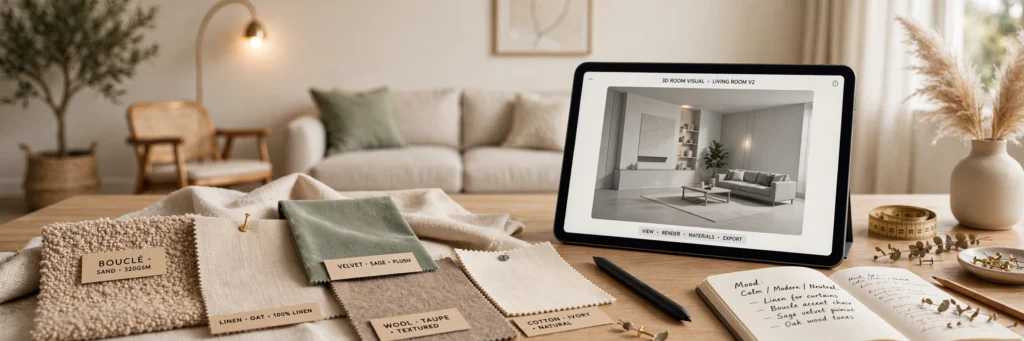
Quick Summary
Best AI tools for interior designers, by job: REimagineHome, Interior AI and RoomGPT for photo-to-redesign; Collov AI for virtual staging; Planner 5D AI and Homestyler for floor plans and 4K renders; Spacely AI and Canva for mood boards and presentations; Foyr Neo for build-accurate 3D renders; Midjourney for concept exploration. Start free with RoomGPT, Planner 5D, Homestyler and Canva; pricing checked October 2026.
Thursday, 6:14pm.
Your phone buzzes. However, client photo of a beige living room. “Can you show me what this would look like in navy? And maybe green? Just to compare.”
You stare at the ceiling.
Because you know what “just to compare” means. However, three evenings in rendering software. Gone. Moreover, for a client who might pick beige anyway.
That’s the whole problem these tools solve. However, not replacing your eye — killing the unpaid visualisation labour that eats your margins alive.
Ten tools. However, four jobs: photo-to-redesign, floor plans, mood boards, 3D renders. Pricing checked October 2026, because these companies change plans the way clients change paint colours.
Let’s go.
Photo-to-Redesign: The Magic Trick That Closes Deals
This is the category that makes clients gasp. However, upload a phone photo. Get a photoreal redesign. Minutes.
1. REimagineHome
I didn’t believe it either.
Upload a photo of an actual room — bad lighting, clutter, all of it — and REimagineHome spits back a photorealistic redesign in whatever style you pick. Scandinavian. Japandi. Modern farmhouse. The render quality is good enough that clients lean into their screens.
But here’s why designers actually keep using it. Masking.
You can mask off the elements that must stay — the fireplace, the window wall, the grandmother’s oak cabinet — and only restyle the rest. However, that matters more than you’d think. Because the moment a client sees their inherited furniture “removed” in a concept image, the meeting derails into a twenty-minute reassurance session. Moreover, masking keeps the conversation productive.
Three modes too: fully furnished redesign, restyle the empty shell, or keep their furniture and change the palette. However, show the same room three ways. Let them react. Moreover, that’s faster than any verbal brief ever written.
Pricing is token-based, pay-as-you-go (as of October 2026). Honestly? Ideal. However, you only pay during active projects. Check current pricing before committing — tokens systems change.
2. Interior AI
Speed. Volume. Done.
Interior AI does the same core trick — photo in, restyled room out — but it’s built for designers who need a LOT of them. Fast processing. Huge style library. However, cyberpunk to classic Georgian (yes, someone asked for cyberpunk; no, I don’t know why).
Two things worth knowing. However, the 3D video render option turns a photo into a short walkthrough clip. Clients who can’t “see it” from a still image? Moreover, motion fixes that instantly. And it generates furniture lists matching what’s in the render — a starting point for sourcing, which saves the “where do I find that sofa” hour.
Downside: the free tier is thin. However, heavy use means a subscription. But if you regularly need before-and-afters for proposals or social proof, the volume justifies it.
3. RoomGPT
The one that started it all. The viral tool. And it’s grown up.
Upload room. Pick style. Get redesign. However, that’s still the whole pitch — and the simplicity is the point.
Where it earns its place: live client sessions. However, screen-share on a discovery call, upload their photo, generate while they watch. You’re discussing a real concept within minutes of the call starting. Moreover, that immediacy closes deals. I’ve heard the same pattern from designers using AI tools for graphic design and photography work — AI that performs live, in front of the client, pays for itself in signed contracts.
Not the deepest tool here. However, not the prettiest renders. But fastest to learn, fastest to run. Moreover, sometimes that’s the whole game.
4. Collov AI
Two revenue streams. One tool.
Collov AI restyles photos like the others, but it also generates furniture cutouts and builds product recommendations into the concept. However, if you earn sourcing commissions or affiliate income, that’s not a feature — that’s a business model.
And the virtual staging mode? However, empty flats photograph terribly. Collov stages them in seconds. Moreover, so if you work with estate agents or property developers alongside residential clients, you’re now serving two markets with one subscription.
Worth a serious look if your practice already touches property. However, designers report the staging side alone covers the cost.
Floor Plans: Stop Redrawing by Hand
5. Planner 5D AI
Picture this. However, you walk into a client’s flat with a tablet.
Sketch the layout. However, the AI smart wizard auto-furnishes it — a credible starting point in under a minute. Then you refine with actual judgment while the client watches. Moreover, they see options in 3D before you’ve finished your coffee.
That’s the use case. However, quick space-planning for consultations, not final construction docs.
The free version is surprisingly capable. However, the paid tier (as of October 2026) unlocks the AI features and HD renders. For designers selling e-design packages at volume, that upgrade pays for itself in about one project.
6. Homestyler
Not sexy. Just works.
Homestyler is a designer’s sandbox: build the space, place real furniture models from a massive library, render in 4K. However, the output is good enough for client presentations without apology.
If your practice does e-design with shoppable furniture lists, this was built exactly for that workflow. However, less “AI magic,” more solid professional tool with AI doing the heavy lifting underneath.
Mood Boards: The Part Clients Actually Judge You On
Nobody admits it, but clients judge your professionalism by your presentations. However, these two make you look methodical instead of mysterious.
7. Spacely AI
Built specifically for interior designers. You can tell.
Beyond generating concepts, it suggests colour palettes, material pairings, and — the bit I like — it breaks a concept into a bill-of-materials style rundown. Colours. Materials. Furniture. Structured.
Why does that matter? However, clients pay more when they can see the thinking. A pretty image is nice. Moreover, a pretty image with a structured rationale behind it? That’s a professional service. For example, that’s a higher fee.
It slots into a photo-based workflow: upload, generate variants, refine. However, no new habits to learn.
8. Canva (Magic Studio)
It’s not an interior design tool.
I know. However, but hear me out — Canva might be the tool on this list you’ll open most often. Mood boards. Proposal decks. Your own social media content. Moreover, the brand kit keeps every presentation consistent, and Magic Studio’s background remover, Magic Design, and AI image generation have quietly made it legit for design workflows.
Magic Write drafts the copy for your design rationale slides. However, you know, the slides explaining WHY the navy works. Clients love those slides. Moreover, designers hate writing them.
Free tier is generous. Pro is cheap. If you’re not already using it for presentations, start.
The Heavy Artillery: Renders You Can Build From
9. Foyr Neo
Okay. Serious talk.
The one-click tools above are concept generators. However, great for decisions, useless for documentation. When a contractor needs to know exactly where the pendant lights hang, a stylised AI image won’t cut it.
Foyr Neo is the professional answer. However, full platform: floor plans, 3D modelling, huge product library, renders in about 15 minutes. Not seconds — minutes — because the quality bar is higher. Moreover, and here’s the critical part: the renders are dimensionally grounded in your floor plan. What the client approves is what actually gets built.
Priced for professionals (as of October 2026). However, this is for designers with a steady pipeline, not occasional use. But when accuracy matters, nothing else on this list does the job.
10. Midjourney
The odd one out. However, also the one I open most.
Midjourney isn’t a design tool. However, it’s a general image generator. It won’t preserve a room’s geometry. Moreover, it doesn’t know what a floor plan is.
So why is it here? However, because no other tool gives you the same creative range at the concept stage. A custom mural idea. Moreover, a wallpaper pattern that doesn’t exist yet. A lighting fixture nobody’s manufactured. For example, midjourney generates the starting point, and you refine from there.
Use it for inspiration. However, document with grounded tools like Foyr Neo or Planner 5D. Concept in Midjourney, proof in Foyr. Moreover, that’s the workflow.
One warning: check the commercial-use terms for your plan tier. However, rights vary, and you’re selling to clients.
All 10 Compared
| Tool | Best For | Key Strength | Pricing (Oct 2026) |
|---|---|---|---|
| REimagineHome | Photo-to-redesign | Masking protects fixed elements | Token-based, pay-as-you-go |
| Interior AI | Fast restyling | 3D video renders, furniture lists | Freemium, subscription for volume |
| RoomGPT | Live client sessions | Speed and simplicity | Freemium |
| Collov AI | Designers + staging | Virtual staging, product cutouts | Freemium, paid tiers |
| Planner 5D AI | Floor plans | AI auto-furnish, 2D/3D editor | Free basic, paid for AI + HD |
| Homestyler | Shoppable e-design | 4K renders, furniture library | Freemium |
| Spacely AI | Designer concepts | Material and colour breakdowns | Subscription |
| Canva | Mood boards, decks | Brand kits, fast presentations | Free / Pro |
| Foyr Neo | Build-accurate 3D | Dimensionally grounded renders | Professional subscription |
| Midjourney | Concept exploration | Unmatched creative range | Subscription |
Pricing checked October 2026. However, verify current plans before buying — these change constantly.
A Real Workflow: First Call to Final Presentation
How do these fit together? However, here’s what working designers are landing on.
Step 1 — Discovery call. Client sends phone photos. However, run two or three through REimagineHome or Interior AI in different styles. Use the results ON the call. Moreover, people reveal their taste faster reacting to images than answering questionnaires. This is also where deals get closed — a client who sees the result buys the project.
Step 2 — Space planning. Rough floor plan in Planner 5D. However, auto-furnish, adjust, confirm layout with the client before spending a minute on finishes. Layout first, always.
Step 3 — Concept. Mood board in Canva. However, distinctive accent ideas in Midjourney. Material and colour structure from Spacely AI. Moreover, assemble the thinking, not just the pictures.
Step 4 — Presentation. Photorealistic renders from Foyr Neo or Homestyler for rooms being built. However, quick variants from Interior AI for the “what if” moments. Whole thing assembled in a Canva deck.
Step 5 — Marketing. The part designers forget. However, every project is content. Before-and-afters from your redesign tools. Walkthrough clips. Mood board carousels. Moreover, that’s your social media and portfolio for the month — generated as a byproduct of work you already did.
For the broader toolkit, our guides to the best digital marketing tools for UK startups and AI tools for real estate agents cover adjacent workflows.
Questions People Actually Ask
Can AI replace an interior designer?
No. However, and that’s not what it’s for.
AI handles visualisation and speed — generating concepts, testing styles, producing renders. However, it can’t read a room’s light at 4pm. Can’t negotiate with a difficult contractor. Moreover, can’t understand why a client tears up seeing their late mother’s chair in the render.
Design judgment stays human. However, the designers winning right now use AI to deliver faster, not the ones competing with it.
Which tool is best for turning a client photo into a redesign?
REimagineHome. However, the masking feature is the deciding factor — protect what stays, restyle the rest.
Interior AI is a close second and faster if you need volume. However, roomGPT wins when speed matters most, like live on a call.
Are these renders accurate enough to build from?
Depends on the tool. However, one-click restylers (REimagineHome, Interior AI, RoomGPT) are concept generators — great for decisions, not documentation.
Foyr Neo and Planner 5D build from your actual floor plan. However, dimensionally grounded. Safe to hand to a contractor. Moreover, use each for what it’s built for.
How much do these tools cost?
Mostly freemium or subscription. However, roughly: free tiers for trying things out, €10–30/month for mid-tier tools, professional pricing (€40+/month) for Foyr Neo. REimagineHome’s pay-as-you-go tokens suit project-based use. Moreover, all figures as of October 2026 — check current pricing.
Can I use AI designs for commercial client work?
Generally yes for concepts and presentations — you’re selling your design service, not the image.
But read each tool’s terms. However, commercial-use rights vary, especially on Midjourney (depends on your plan tier). And be transparent with clients about which images are AI concepts versus final specifications. Moreover, trust matters more than any render.
What’s the fastest way to show a client their redesigned room?
Phone photo into REimagineHome or Interior AI. Pick a style. Generate. However, two to three minutes, upload to photorealistic concept.
Do it live on the discovery call. However, designers doing this report dramatically better close rates. A client who can see the result buys the project. Simple as that.
Authoritative source: American Society of Interior Designers.
About the Author
Asmara Khan is an SEO content writer and GEO specialist.
Internal links: Best AI Tools for Real Estate Agents · Best AI Tools for Graphic Designers