For years, building software required a high technical barrier: finding a developer co-founder, spending months writing code, and burning savings before testing if anyone actually wanted your product.
That playbook is completely outdated.
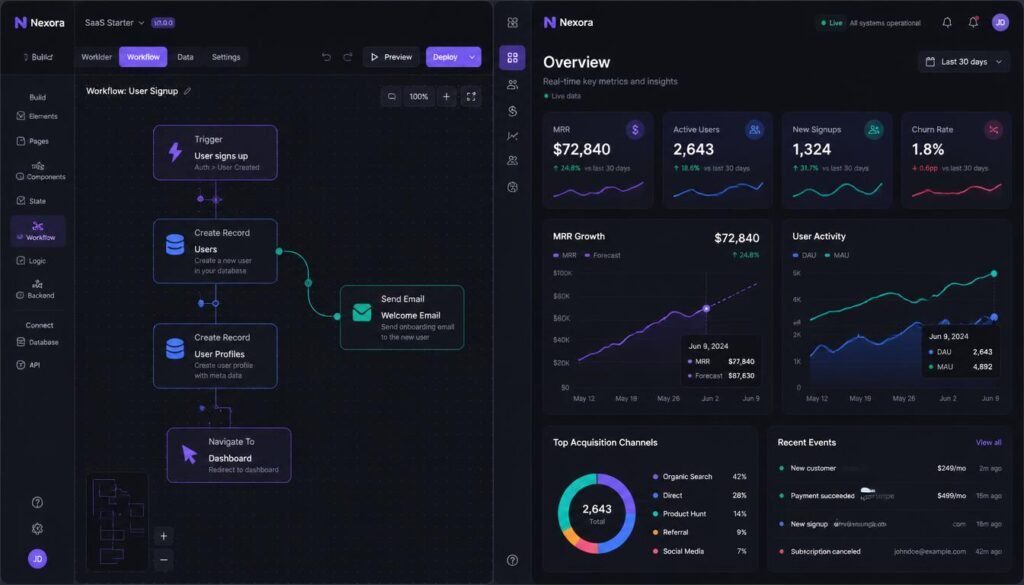
Today, non-technical creators and small business owners are building, launching, and monetizing hyper-focused Micro SaaS tools in weeks. They aren’t writing low-level code; they are connecting visual database builders, API connectors, and automated workflows.
If you can map out a logical step-by-step workflow for a business problem, you have all the technical logic needed to build a Micro SaaS that generates recurring revenue. If you are exploring broader remote career paths, check out our guide on The Best Freelancing Platforms in the UK to see how technical services are packaged.
Here is the exact blueprint to find ideas, build your app, and land your first paying subscribers.
What Makes Micro SaaS Different?
Big software companies try to be everything to everyone. They build massive features, charge enterprise prices, and take months to push updates.
A Micro SaaS does the exact opposite. It solves one specific pain point for one specific group of people.
- Traditional SaaS: A massive CRM trying to serve real estate agents, dentists, and lawyers all at once.
- Micro SaaS: An automated document collection portal built only for local accounting firms during tax season.
Because your scope is small, visual builders easily handle 100% of the tech layer. You don’t need complex server setups or dedicated engineering teams.
Step 1: Find Problems People Are Already Paying to Fix
Never start with the question: “What app should I build?”
Start with: “Where are professionals wasting 5 hours every week on manual work?”
1. Dig Into Specialized Online Communities
Go to Reddit (r/smallbusiness, r/freelance), industry-specific Slack channels, or niche Facebook groups. Look for posts where people complain about repetitive tasks:
“Is there a tool that automatically pulls metric reports into a client PDF?”
“I spend every Sunday evening manually copying data from spreadsheets.”
2. Check 2-Star Reviews on Popular Software
Go to G2 or Capterra and look up big software platforms. Filter by 2-star and 3-star reviews. Skip the people who had billing bugs and focus on users complaining that the product is too complicated, too expensive, or missing one crucial automation. That gap is your product idea.
3. Test Manual Value First (Concierge MVP)
Before building a single visual workflow, see if you can solve the problem manually for 3 clients. Send them a video showing how you solved their problem. If they won’t pay you $20 or $50 a month for you to handle it manually, they won’t buy your app either.
Step 2: Pick Your Minimal Tech Stack
Avoid buying subscriptions to ten different tools. You only need a few core building blocks to launch a fully working web or mobile product.
| Product Layer | Best Tool Options | What It Handles |
|---|---|---|
| App Builder & Logic | Bubble or FlutterFlow | Visual screens, user interactions, and core workflows |
| Database & Auth | Supabase or Xano | User profiles, data storage, and secure logins |
| Automations | Make.com or Zapier | Passing data between external platforms and APIs |
| Subscriptions | Stripe or Lemon Squeezy | Monthly billing, customer portals, and payouts |
Step 3: Draw Your Product Architecture
Before opening your app builder, sketch the path a user takes from landing on your page to getting their result.
[ Visitor Lands on Site ] ➔ [ Stripe Checkout ] ➔ [ Login Created ]
                                                        │
                                                        ▼
[ Receives Final Output ] ◄── [ Backend Process ] ◄── [ Fills Form / Uploads File ]
The 3 Essential Pages for Launch:
- Onboarding Page: Clean sign-up using email magic links or Google login.
- Main Workspace: A simple form or dashboard where the user inputs data and gets their output.
- Billing Portal: Let Stripe or Lemon Squeezy handle cancellations, receipts, and card updates so you don’t have to build custom account settings screens.
Step 4: Focus Only on the Core Action
Feature creep kills projects before they launch. When building your visual app, ignore dark mode toggles, complex custom avatars, or deep multi-level settings.
Your product only needs to do one thing well.
If your app generates custom social media summaries for podcast hosts, make sure a user can upload an audio file and get a formatted document in under two minutes. Every extra step you add increases friction and delays your launch day.
Step 5: Getting Your First 10 Paying Customers
Building the software is only 30% of the work. Distribution is the remaining 70%.
Growth Channels:
├── 1. Direct Outreach (Sending targeted emails to small agencies/founders)
├── 2. Public Building (Sharing progress and learnings on X/LinkedIn)
└── 3. Organic Content (Solving specific long-tail search queries)- Charge Money Right Away: Free plans hide bad product ideas. A paid plan ($19 to $49/month) immediately proves whether people actually care about your solution.
- Do Direct Cold Outreach: Don’t wait for social media algorithms. Find 20 people on LinkedIn or Twitter who deal with the exact problem you built for, send a 3-sentence email with a short video demo, and ask for their honest thoughts.
- Share Your Build Process: Document your wins, tool picks, and actual revenue numbers on social channels. Building publicly establishes instant trust and brings early supporters into your launch loop.
Final Thoughts
You don’t need a computer science degree to create software in 2026. Find a narrow, irritating task that businesses deal with every day, map out a clean visual workflow, and launch an app that saves them time. Speed and simplicity will always win against big, sluggish incumbents.
FAQ
Small businesses prefer simple, highly focused tools. Examples include automated invoice follow-up tools for contractors, review collection portals for local clinics, PDF-to-spreadsheet converters for accountants, and client reporting dashboards for marketing agencies.
You can find validated ideas by searching subreddits (r/smallbusiness, r/freelance) for software complaints, reading 2-star and 3-star reviews of popular software on platforms like G2
, and exploring a Micro SaaS directory to see what small tools are earning recurring revenue.
Yes. Many non-AI SaaS ideas are thriving because they solve fundamental workflow problems. Utilities that handle data syncing, custom form routing, client management, and API connections don’t require AI to provide high value and command recurring subscription fees.
Subreddits like r/SaaS and r/MicroSaaS feature hundreds of verified success stories where non-technical founders built apps using visual tools, reached $2,000–$10,000 MRR within 6 to 12 months, and operate with over 80% profit margins.
If you keep your scope focused on solving one single problem, you can build a fully functional Minimum Viable Product (MVP) in 15 to 30 hours over a weekend using visual builders and pre-configured database templates.