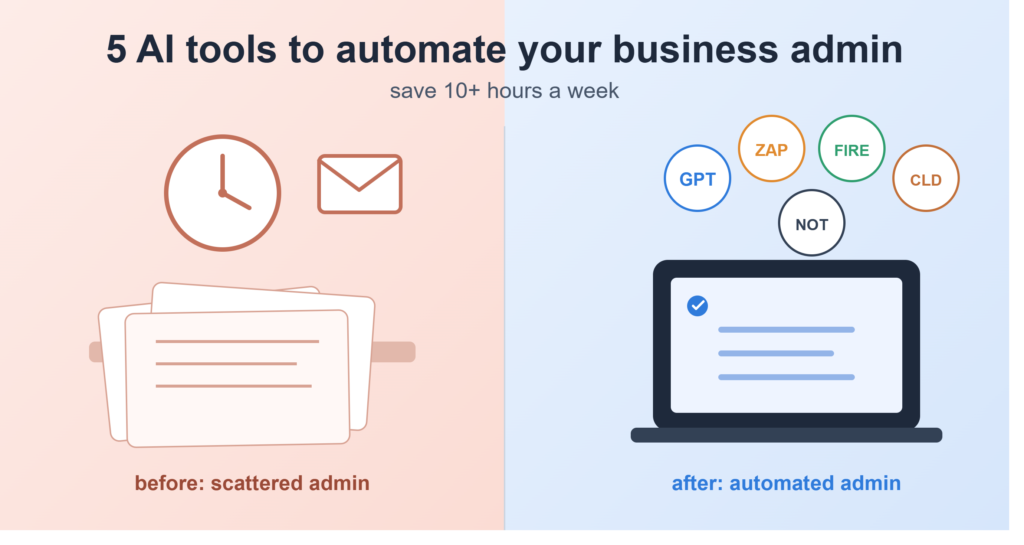
If you’re short on time, here’s the short version: ChatGPT handles your emails and proposals, Zapier connects the apps you already use so data stops needing to be copied by hand, Fireflies.ai turns your calls into notes and action items automatically, Claude is the safer choice for anything client-sensitive, and Notion AI gives all of it a home. Together, these five tools realistically cover most of the admin that eats into a small business owner’s week and none of them need a developer or a five-figure budget to get running.
Featured Snippet Table: Quick Comparison
| Tool | Primary Admin Task | Starting Price | Setup Time |
|---|---|---|---|
| ChatGPT | Email replies, proposals, drafting | Free / $20 per month (Plus) | 5 minutes |
| Zapier | App-to-app workflow automation | Free / from $19.99 per month | 15–30 minutes |
| Fireflies.ai | Meeting transcription and notes | Free / from $10 per seat, per month | 5 minutes |
| Claude | Sensitive client communication, document review | Free / $20 per month (Pro) | 5 minutes |
| Notion AI | Task and document organization | Free / AI bundled into Business at $20 per user, per month | 20–40 minutes |
Article Highlights
- Small business owners lose somewhere around 10–15 hours a week to admin emails, invoicing, meeting notes, the usual suspects.
- Enterprise automation platforms like UiPath or Workato, and coding-heavy tools like n8n, are built for companies with an IT department, not a sole trader working from a kitchen table.
- Five affordable, non-technical tools can genuinely cover most of that admin without a single line of code.
- Human review still matters. Financial approvals, tax filings, anything going to HMRC or the IRS — an AI draft is a starting point, not the final word.
- UK and US businesses face different rules (VAT vs. Sales Tax, HMRC vs. IRS), so it’s worth picking tools with that in mind rather than following a US-only listicle.
Why “Best AI Tools for Small Business” Is the Wrong Search
Type that phrase into Google and you’ll get pages full of Forbes and HubSpot roundups written for enterprise buyers with a procurement team and a six-figure software line item. None of it is wrong, exactly. It’s just not written for someone running a business alone, or with two or three people, trying to keep invoices sent and inboxes under control between actual client work.
That’s the gap this guide is trying to close. Rather than list every AI tool that exists, it sticks to the ones a small business can realistically afford and set up in an afternoon the tools that solve the actual admin pain points: emails, invoicing, meeting summaries, and the repetitive data entry nobody enjoys. When I ran Fireflies.ai and Otter.ai side by side on the same client discovery call, the gap between them was obvious enough within ten minutes to make a real decision on, not just a line in a comparison chart.
Small fact worth sitting with: according to guidance published on the UK government’s business support pages, admin overhead is one of the top reasons small businesses cite for stalled growth. Ambition usually isn’t the bottleneck. Paperwork is.
1. ChatGPT — Best All-Rounder for Written Admin
Best for: drafting emails, proposals, job ads, and quick social replies.
Admin problem solved: it shortens the time you spend staring at a blank reply box.
Key limitation: it doesn’t know your business unless you tell it, and it can’t fact-check itself.
ChatGPT is still the easiest entry point into small business admin automation, mostly because everyone already knows how to type into a chat box. You give it context, it hands back a first draft, and you edit from there. Owners who get the most out of it stop treating it like a search engine and start treating it more like a fast, endlessly patient junior assistant — one who’ll happily rewrite the same client email eleven times without complaining.
- Pricing: free tier available; ChatGPT Plus runs $20 a month (roughly £16), which covers most small business use.
- Setup friction: almost none. No integrations required to get value on day one.
- Human-in-the-loop note: always give client-facing drafts a once-over before hitting send, especially anything touching pricing, dates, or contracts.
2. Zapier — Best for Connecting Your Existing Apps
Best for: moving information automatically between the apps you’re already paying for invoicing software, email, CRM, spreadsheets.
Admin problem solved: no more copying a new lead from your web form into a spreadsheet by hand.
Key limitation: costs climb fast once your task volume grows, and the more complex automations take longer to set up than the marketing suggests.
Zapier isn’t new, and that’s part of why it still works well — it’s a mature, no-code way to bridge the small tools a business runs on day to day. Pick a trigger (“invoice paid”), pick an action (“send thank-you email”), and it runs quietly in the background from then on. This is the closest thing to Zapier alternatives you’ll need for genuinely small operations; you don’t need Make or n8n unless your workflows get considerably more complex.
- Pricing: free plan gives you 100 tasks a month; paid plans start around $19.99–$29.99 monthly for roughly 750 tasks, rising with usage from there.
- Setup friction: moderate — budget 15 to 30 minutes for your first automation, and expect a short learning curve once you get into multi-step Zaps.
- Worth watching: task usage tends to creep up as you add more automations, so it’s worth checking your plan every couple of months rather than setting it and forgetting it.
3. Fireflies.ai — Best for Meeting Notes and Action Items
Best for: joining calls automatically, transcribing them, and pulling out clear action items.
Admin problem solved: you stop scrambling to remember who agreed to send what after a client call.
Key limitation: the free plan’s storage fills up fast, and some of the more advanced AI summary features run on a limited monthly credit allowance rather than being truly unlimited.
When I tested Fireflies.ai against Otter.ai across a batch of real discovery calls, Fireflies came out ahead specifically on the follow-up side turning a call into clean action items rather than just a wall of transcript text. Otter leaned more toward pure transcription accuracy. For admin-heavy small businesses chasing deliverables, that action-item extraction ends up mattering more.
- Pricing: free plan available; Pro starts around $10 per seat a month on annual billing.
- Setup friction: very low connect it to your calendar once and it joins calls on its own from then on.
- Human-in-the-loop note: skim AI meeting summaries before forwarding them to a client. Names and figures are where transcription tools slip most often.
4. Claude — Best for Sensitive, Client-Facing Writing
Best for: drafting client communications, giving a contract or policy document a first-pass review, and handling anything where tone and accuracy both need to be right.
Admin problem solved: it takes some of the anxiety out of writing the awkward emails — chasing an overdue payment, declining a request, explaining a delay — without sounding either cold or overly apologetic.
Key limitation: like any AI writing tool, it shouldn’t be the final word on anything legal or tax-related.
Claude tends to produce noticeably more careful, structured writing than a quick ChatGPT prompt, which is exactly why it earns a place on this list for the higher-stakes admin moments — payment reminders, client-facing policy updates, or a first look at a supplier contract before your solicitor sees it.
- Pricing: free tier available; Claude Pro is $20 a month.
- Setup friction: minimal, no integrations required.
- Human-in-the-loop note: for anything touching UK VAT rules or US 1099 reporting, treat Claude’s draft as a starting point, not tax advice.
5. Notion AI — Best for Organizing Admin Across the Business
Best for: centralizing tasks, client notes, invoice tracking, and documents in one searchable place.
Admin problem solved: ends the “which spreadsheet was that in again?” problem.
Key limitation: full Notion AI now sits inside the Business plan, so the entry cost is higher than the old standalone add-on used to be.
Where ChatGPT and Claude draft, and Zapier automates in the background, Notion AI is the layer that holds everything together — turning meeting notes, invoice trackers, and client records into one searchable system instead of six scattered files nobody can find on a Friday afternoon.
- Pricing: free and Plus tiers exist, but full Notion AI (agents, workspace-wide search) requires the Business plan at $20 per user a month, billed annually.
- Setup friction: higher than the rest of this list. Give it 20 to 40 minutes to structure a first proper admin workspace.
Second Table: Setup-to-Value Timeline
| Week | What to Set Up | Tool(s) | Expected Time Investment |
|---|---|---|---|
| Week 1 | Draft email and proposal templates, test the tone | ChatGPT or Claude | 1–2 hours |
| Week 2 | Connect your calendar for automatic meeting notes | Fireflies.ai | 15 minutes |
| Week 3 | Build your first two Zaps (e.g. invoice paid → thank-you email) | Zapier | 1 hour |
| Week 4 | Structure one central admin workspace | Notion AI | 2–3 hours |
| Ongoing | Review AI drafts before sending, check task usage monthly | All five tools | 30 minutes weekly |
Why Most AI Automation Stacks Fail
Most small businesses that try to automate admin don’t fail because the tools are bad. They fail because they try to automate everything in one weekend. A workflow that actually holds up gets built one piece at a time tested against real admin, not a demo video and only expanded once the first piece is genuinely saving hours. Start with whichever task eats the most time. For most small businesses, that’s either email triage or invoicing. Automate that one thing first, then layer the rest on gradually.
There’s a compliance side to this too, and it’s the part most generic “AI tools for business” guides skip entirely. UK sole traders need VAT-compliant invoice records for HMRC. US LLCs and sole proprietors need documentation that holds up for IRS expense tracking. Before you let any AI tool near your books, it’s worth a quick read of the IRS’s small business and self-employed resource hub and the UK government’s VAT guidance. Automation should make compliance easier, not riskier — and that only holds true if the human stays in the loop on anything financial.
Frequently Asked Questions
What is the best AI tool for small business admin?
There’s no single winner for every job. ChatGPT and Claude are strongest for writing and client communication, Zapier connects the apps you already have, and Fireflies.ai takes care of meeting notes on its own. Most small businesses end up running two or three of these together rather than betting everything on one.
Can AI tools replace a human virtual assistant for admin?
Not fully, no. AI tools can genuinely take on 70–80% of repetitive drafting and data entry, but a human still needs to be in the loop for financial approvals, sensitive client decisions, and anything filed with a tax authority. Think of AI as making a VA (or you) faster, not as a replacement for judgment.
Are there free AI tools available for UK/US small business admin?
Yes, and this is worth knowing before you spend anything. ChatGPT, Claude, Fireflies.ai, and Zapier all have usable free tiers, and Notion has a free plan too, though full Notion AI now sits behind a paid Business seat. You can test this entire stack for free first, then upgrade only where the limits start to actually bite.
Do I need coding skills to automate admin with AI?
No. Every tool here is built for non-technical users. No scripting, no APIs to wire up manually, no developer required for a basic setup.
A Quick Word on Giving Back
If this guide saved you real hours this month, it’s worth passing that forward somehow — leaving honest feedback that helps other small business owners find better resources, or supporting a local scheme that gives small businesses free digital skills training. Automation should free up time for the work that actually grows a business, not just shrink a to-do list for its own sake.
About the Author
This guide comes from a working digital strategist who’s spent years helping UK and US freelancers and small business owners cut down on admin overload testing tools like Fireflies.ai, Zapier, ChatGPT, and Claude against real client workflows rather than repeating marketing copy. For more practical, no-fluff guides on running a lean small business, have a look at the freelance productivity and management resources on GlobeHustle.
Related reading: if freeing up admin time leaves you with extra hours in the week, it might be worth a look at passive income tools worth exploring in 2026.